The Essential Edge: Why Vector Files in Gaming Web Banner Design Are a Game-Changer
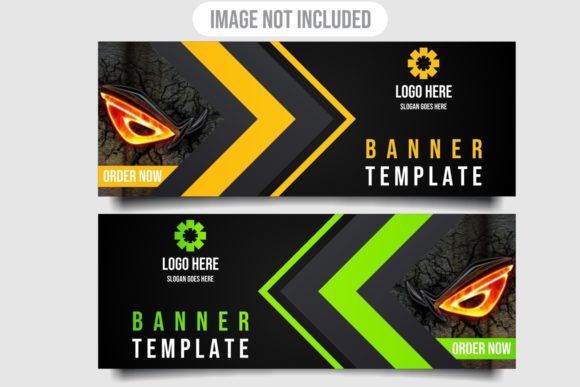
Downloading a bundle of gaming web banner design assets is a moment of pure potential. You've got the visual concept, the layout, the colors that scream your game's identity. But what really separates a standard download from a professional-grade toolkit is the inclusion of files you can truly own and manipulate: the vector files. When your download includes not just a final Image JPG but the foundational Vector EPS, you're unlocking a level of creative control and practical flexibility that transforms how you market your game.
Understanding the File Types: The Static Image vs. The Living Blueprint
Let's break down what you typically get. The JPG (or JPEG) is your finished, ready-to-use banner. It's a raster image, composed of a fixed grid of pixels. It looks great at its intended size, but it has a fundamental limitation: resizing. Enlarging a JPG stretches those pixels, resulting in a blurry, pixelated mess. Shrinking it can sometimes work, but you're locked into the original resolution.
The Vector EPS file is something entirely different. It's not a picture of pixels; it's a mathematical blueprint. It contains instructions for shapes, lines, curves, and colors. Programs like Adobe Illustrator, CorelDRAW, or Inkscape read these instructions and draw the image on screen. This means the design is defined by geometry, not by a fixed number of dots.
The Core Promise: Openable, Editable, and Resizable Without Losing Quality
This is the trio of benefits that makes vector files indispensable for serious gaming web banner design.
First, openable and editable. With the EPS in hand, you're not just using a template; you're entering the designer's workspace. You can change anything. Is the headline font not quite right for your specific game launch? Swap it out. Want to adjust the color palette to match a new character skin? Modify the fills with a click. Need to translate the text for an international campaign? Edit the text layers directly. The vector file gives you the keys to the design studio.
Second, and most famously, resizable without losing quality. Gaming banners need to fit everywhere: a massive hero banner on your homepage, a smaller ad unit on a review site, a square format for social media promotions, or even a tiny icon. With a JPG, you'd need the designer to create multiple specific-sized versions. With the vector EPS, you have one master file. Scale it up to billboard dimensions or down to a thumbnail, and it renders crisp, sharp, and perfect every time. The mathematical paths simply recalculate. This scalability is a logistical and financial miracle for ongoing marketing campaigns.
How Vector-Based Graphics Fit Into Modern Gaming Marketing Workflows
The workflow for promoting a game is dynamic and iterative. You launch, you update, you run seasonal events, you highlight new DLC. Your visual assets need to keep pace.
Imagine you download a banner pack for your fantasy RPG. The core artwork is perfect—a dragon, a warrior, epic scenery. But three months later, you're promoting a winter-themed event. With the vector files, you can open the original banner, edit the colors to a frosty blue and silver scheme, perhaps add some snowflake elements from other vector assets, and resize it for a new vertical ad format. You've created a custom, seasonally-appropriate banner in minutes, maintaining total brand consistency, without waiting for a new design commission.
This empowers smaller studios and indie developers especially. It turns a purchased asset into a long-term, adaptable toolkit. Your marketing team, even if they're not master illustrators, can make professional-level adjustments using the vector foundation.
Practical Benefits Beyond Just Resizing
The advantages ripple out into many practical areas:
- Brand Consistency: By editing the master vector file, you ensure every banner variant uses the exact same logos, font weights, and color hues. Manual recreations or JPG tweaks always introduce slight deviations.
- Print Ready Material: Suddenly, that web banner can become a poster, a flyer, or a booth graphic at a convention. Vector files are the standard for high-quality print because they define perfect edges and smooth gradients at any scale.
- Animation Foundation: Many animated web banners (like HTML5 ads) start their life as vector artwork. Layers and shapes in an EPS file can be easily separated and prepared for motion, saving huge amounts of time for animators.
- Future-Proofing: As screen resolutions and DPI standards increase (think 4K, 8K displays), your vector-based banner design is already ready to look pristine. A JPG from five years ago might look decidedly low-res on today's monitors.
Factors to Consider When Choosing or Using Gaming Banner Assets
When you're looking for gaming web banner design resources, the file format list is a critical piece of information. Here’s what to think about:
Does your team have access to, and basic competency with, a vector graphics program like Adobe Illustrator or CorelDRAW? If not, the JPG is your immediate workhorse, but acquiring even fundamental vector skills is a powerful investment. Many tools have intuitive interfaces for basic edits like color changes or text swaps.
Consider the scope of your campaign. If it's a single, one-time banner placement, a JPG might suffice. But if you envision a multi-format, multi-phase marketing push for your game, the vector file is non-negotiable. It's the difference between buying a single ticket and owning a season pass.
Also, check the compatibility note. An EPS file is a widely supported standard, but ensure it's compatible with your specific software version. Most modern programs handle them flawlessly.
A Real-World Scenario: From Download to Deployment
Let's walk through a scenario. You download a banner pack for your new competitive shooter. It has a great dynamic composition with a character in action.
- You use the JPG immediately for your initial website launch. It's perfect.
- Week 2: You need a 300x250 ad for a partner site. You open the Vector EPS in Illustrator, resize the artboard to the exact dimensions, and export a new, perfectly crisp JPG for that ad network.
- Month 1: You introduce a new map. You edit the vector file, changing the background element to feature this new environment and updating the headline text. You resize it for a social media campaign.
- Month 3: You prepare for a trade show. You scale the same vector file to a large poster format and send the EPS directly to the print shop.
One download, one master file, endless applications. That's the operational efficiency vector files bring to your gaming web banner design process.
In the fast-moving world of game promotion, agility and quality are paramount. The inclusion of vector files in a banner design package transforms a static image into a dynamic, evergreen asset. It respects that your needs will change and empowers you to meet them without compromise. When you see "Files Include Vector files," you're not just getting a banner; you're getting a blueprint for your game's visual presence, openable, editable, and resizable for any challenge your marketing journey presents.