The Value and Function of a Gaming Laptop Backlight Keyboard
For many people, a laptop keyboard is just a set of keys. But when you look at a gaming laptop, you often notice something extra: a glow emanating from beneath each keycap. This feature, known as a gaming laptop backlight keyboard, is not just a flashy aesthetic choice. It is a practical and functional design element with significant benefits for a wide range of users, from gamers to professionals working late into the night.
What Does a Backlight Keyboard Actually Do?
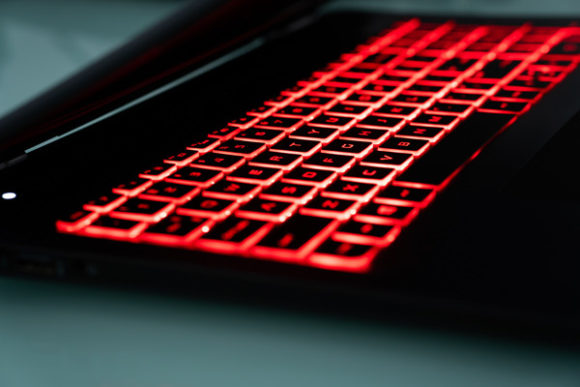
In simple terms, a gaming laptop backlight keyboard illuminates the keys from below. This is achieved using LEDs (light-emitting diodes) positioned under the keyboard panel. The light shines through transparent or translucent key legends, making the letters, numbers, and symbols clearly visible in low-light conditions. While it's a hallmark of gaming laptops, its utility extends far beyond the gaming world.
The main purpose is straightforward: to allow you to see the keys when ambient light is poor. Whether you're gaming in a dimly lit room, working on a project during a late flight, or typing notes in a cozy, low-light café, the backlight ensures you don't have to squint or guess where the "F" key is. It reduces eye strain and improves accuracy, letting you focus on your task rather than on finding the right key.
Beyond the Glow: Key Characteristics and Appeal
A typical gaming laptop backlight keyboard offers more than just a simple on/off switch. Modern systems provide user control, which is where the real value lies. You can often adjust the brightness to match your environment—from a subtle glow to a bright illumination. Many laptops also feature RGB backlighting, allowing you to change the color of the light. This can be a single static color across all keys, or, in more advanced systems, per-key lighting where each key can be a different color.
The appeal is multi-faceted. Visually, it can personalize your device and create an atmosphere that suits your style or mood. Practically, it's a tool for productivity and comfort. For creative professionals like video editors or graphic designers working with color-coded software shortcuts, assigning specific colors to key groups can streamline workflows. The backlight also highlights the robust build quality often associated with gaming laptops; these keyboards are designed for repeated, intense use, and the illumination is part of that high-performance package.
Who Benefits from a Backlit Keyboard?
You might be interested in a gaming laptop backlight keyboard if you regularly work or play in environments where lighting is inconsistent. This addresses a common problem: the need to maintain productivity or enjoyment regardless of the setting. For a freelance writer drafting an article at night, it supports the goal of uninterrupted work. For an educator preparing lesson plans in a quiet, dim home office, it meets the need for comfort and precision.
Casual users and hobbyists benefit too. A blogger editing photos or managing a website might use color-coded backlighting to differentiate between editing tools or navigation shortcuts. Even entrepreneurs and small business owners who travel frequently find value in being able to work effectively on a red-eye flight without disturbing others with a bright screen or overhead light.
Real-World Applications Across Different Contexts
The use cases for a gaming laptop backlight keyboard are diverse and deeply integrated into modern digital lifestyles.
- Professional & Creative Work: Coders can use specific backlight colors to mark different syntax groups. Digital artists might illuminate shortcut keys for their most-used brush tools, speeding up their creative process in a darkened studio.
- Educational & Learning: Students learning complex software or touch typing can use the clear visibility to build muscle memory more effectively, especially during evening study sessions.
- Content Creation & Streaming: Streamers and video creators often operate in controlled lighting for their cameras. A backlight keyboard allows them to easily control streaming software, switch scenes, or adjust audio without fumbling in the dark.
- Everyday Lifestyle & Mobility: The simple act of checking emails or managing finances on your couch in the evening becomes a more comfortable experience. The backlight keyboard adapts your powerful gaming laptop to everyday, relaxed use.
It’s important to observe that the utility isn't confined to gaming. The "gaming" label often signifies a device built with durability, responsive keys, and these enhanced features, making such laptops excellent all-purpose machines for demanding tasks.
Important Considerations Before You Choose
While a gaming laptop backlight keyboard is a valuable feature, it's wise to consider a few practical aspects before making a decision.
First, understand the level of control offered. Some systems offer only white light at a fixed brightness, while others provide full RGB color customization through software. Consider what you truly need. If your goal is purely functional visibility, a simple white backlight may suffice. If you want to use color for organization or personalization, look for software like Razer Synapse, Alienware Command Center, or similar proprietary control suites that allow detailed customization.
Second, consider battery life. While generally efficient, keeping the backlight keyboard at maximum brightness, especially with colorful RGB effects, can draw additional power. If you plan to use your laptop extensively away from a power outlet, you might manage the backlight settings to conserve battery.
Finally, think about the keyboard's primary mechanical design beyond the light. Gaming laptops often feature keyboards with anti-ghosting (N-key rollover) for precise multi-key inputs and optimized actuation points for responsiveness. The backlight is a feature on top of this foundational quality. Ensure the overall typing feel and key travel suit your hands, whether for long coding sessions, writing documents, or extended gameplay.
Integrating the Backlight into Your Routine
To get the most from your gaming laptop backlight keyboard, start with the practical. Set a comfortable default brightness for your typical workspace. Experiment with color zoning if your software allows it. For example, you could set all your number keys to one color for spreadsheet work, or set your WASD cluster to a distinct color for gaming or 3D design navigation.
Remember, the feature is there to serve you. It can be a subtle aid or a vibrant expression of your setup. Its value grows as you use your laptop in more varied environments and for more complex tasks. From ensuring a mistyped password during a late-night login to helping a marketer smoothly run a webinar control panel in a dark conference room, the illuminated keys prove their worth consistently.
The gaming laptop backlight keyboard transforms a basic input device into an adaptive interface. It bridges the gap between high-performance hardware and human-centered usability, ensuring that no matter where you are or what you're doing, your tools remain clear, accessible, and ready to support your goals.